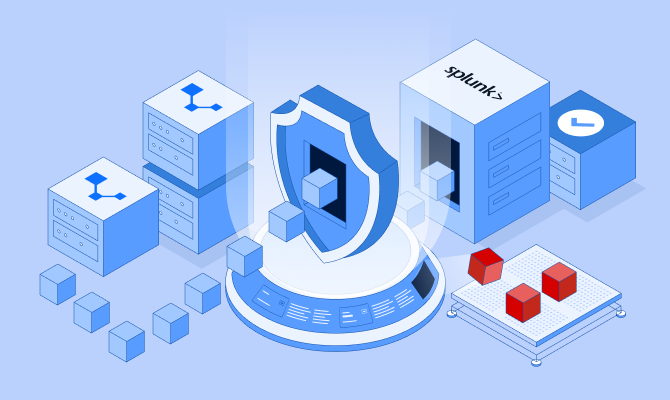
The moment an alert fires is the moment the questions start. Who is behind this IP? Is that domain part of something larger? Has this infrastructure been seen anywhere else? Answering usually means leaving Splunk: pasting indicators into half a dozen browser tabs, stitching partial answers together, and losing the thread of the investigation along the way. And most of what comes back describes where attackers were, not where they are, because public enrichment sources only learn about infrastructure after it has already been used.
VisionHeight was built to close that gap. We call the approach Preemptive Cybersecurity: seeing the infrastructure an attacker will use before it is turned against you. Starting today, that adversary infrastructure intelligence is available inside Splunk with the VisionHeight App for Splunk.
Intelligence where your analysts already work
For most security teams, Splunk is where the work happens. Logs land there, detections fire there, and investigations live there. What the platform cannot do on its own is explain the internet-facing side of an indicator: who operates a host, what it is connected to, and whether it belongs to infrastructure that is actively being used against targets right now. That judgment has always lived outside the SIEM, in other tools and other tabs.
The VisionHeight App for Splunk moves it inside. VisionHeight context appears next to the events themselves, in search results, dashboards, and triage workflows, so the answer arrives where the question was asked.
Built on Pulse
Everything the app returns draws on Pulse, the telemetry layer of our AIR Platform. Pulse gives us a read on the infrastructure adversaries run on (the data centers, hosting providers, and proxy networks behind the global attack surface) and on how those operators behave. It combines passive, internet-wide telemetry with our own distributed sensor network. When an actor we already track shifts to a new host, we see the move and can flag the new infrastructure as it comes online.
That signal is our own. It is not stitched together from public feeds, which is why our picture of attacker infrastructure runs proactive rather than reactive: your analysts see a threat while it is still taking shape, not weeks after it has been catalogued.
Enrichment at the search bar
From inside Splunk, analysts can enrich any IP or domain and get the full VisionHeight picture back: the Pulse Signal verdict, risk context, infrastructure attributes like hosting and geography, and the tags and connections that place an indicator inside a wider operation. The context comes back as structured results, so it can feed the searches, dashboards, and workflows your team already runs rather than sitting in a separate pane.
Triage without the tab-hopping
The app ships with dashboards built for the way triage actually happens: an indicator lands, and the analyst needs a verdict and a picture fast. When Pulse Signal ties that indicator to related infrastructure, the app surfaces the linked IOCs as well, so a single suspicious address opens up into the cluster behind it. What looked like one alert becomes a view of an operation, and the decision to escalate, block, or dismiss gets made in minutes instead of tabs.
Why teams turn it on
• Preemptive, not reactive. Pulse flags attacker infrastructure ahead of public sources, and that context now lands directly in the SIEM where decisions are made.
• Fewer pivots, faster verdicts. Enrichment happens inside the investigation, so analysts stop swivel-chairing between Splunk and a row of browser tabs to answer basic questions about an indicator.
• Noise gets named. The app labels mass scanning and background probing for what they are, so analysts stop losing time to that noise and spend it on the events that deserve attention.
• One indicator, the whole cluster. When Pulse Signal ties an address to related infrastructure, the app surfaces the linked IOCs, so a single alert opens into the operation behind it.
• Context without the ingest bill. Enrichment is delivered on demand through the VisionHeight API rather than by bulk-indexing yet another feed, so the added context does not come with added license weight.
• Fits how you already work. The app plugs into existing searches, dashboards, and alert workflows instead of asking your team to adopt a new console.
• Coverage that refreshes itself. The intelligence behind every lookup updates continuously as Pulse tracks operators moving across the internet, with nothing for your team to maintain.
Bringing it into your Splunk
Setup is light. You install the VisionHeight App from Splunkbase, connect it with your VisionHeight API key, and start enriching. There is no infrastructure to deploy and no pipeline project to schedule: the app queries VisionHeight live and returns results into the Splunk views your team already uses.
VisionHeight maintains the intelligence and the app content. Your data stays in your Splunk, and your workflows stay your own.
Try it
Start with the look-back test: take the indicators from your team's last few investigations and run them through the app, then compare what VisionHeight knew, and when, against what your current sources told you. That comparison tends to make the case on its own.
When you are ready, install the VisionHeight App on Splunkbase in a test environment and connect it with your VisionHeight API key. Need a key? Request trial access.
The VisionHeight App for Splunk is available on Splunkbase. A VisionHeight API key is required; contact us for trial access.
Enrichment answers the question in front of you. Elliot runs the whole investigation, pivoting across the infrastructure and building the case so your analysts do not have to.
Attackers keep getting quicker, and intelligence that lives three tabs away from the investigation cannot match that pace. The VisionHeight App for Splunk puts a proactive read on adversary infrastructure at your analysts' fingertips: the moment a question comes up, the answer is already inside the alert.